

Merchant360 Payment Extension
A payment terminal, in your browser.
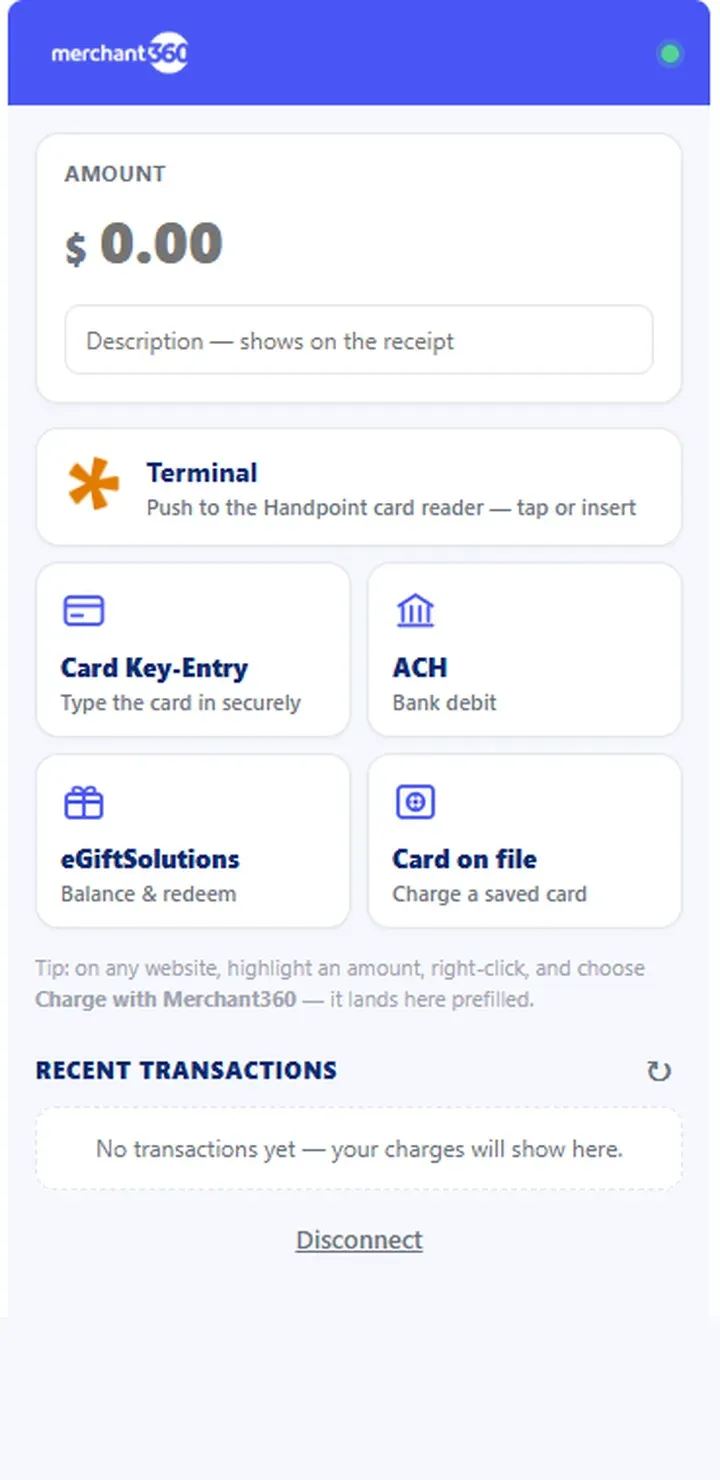
Your shop software, your EMR, your ERP: if it runs in a browser, the Merchant360 Payment Extension puts your processing beside it. The panel opens next to the page you’re working in. Key the card, push to your reader, take ACH, redeem a gift card, or charge a card on file. No developer, no API project, no switching tabs.
How it works
Highlight the amount. Charge it.
The extension lives in the browser’s side panel, so the payment happens next to the software, never instead of it.
Open the panel at the amount
Highlight the invoice total in any web app, right-click, and choose Charge with Merchant360: the side panel opens with the amount prefilled. Or click the toolbar icon and key it. In supported apps like QuickBooks Online, the balance is detected on its own.
Take it however fits
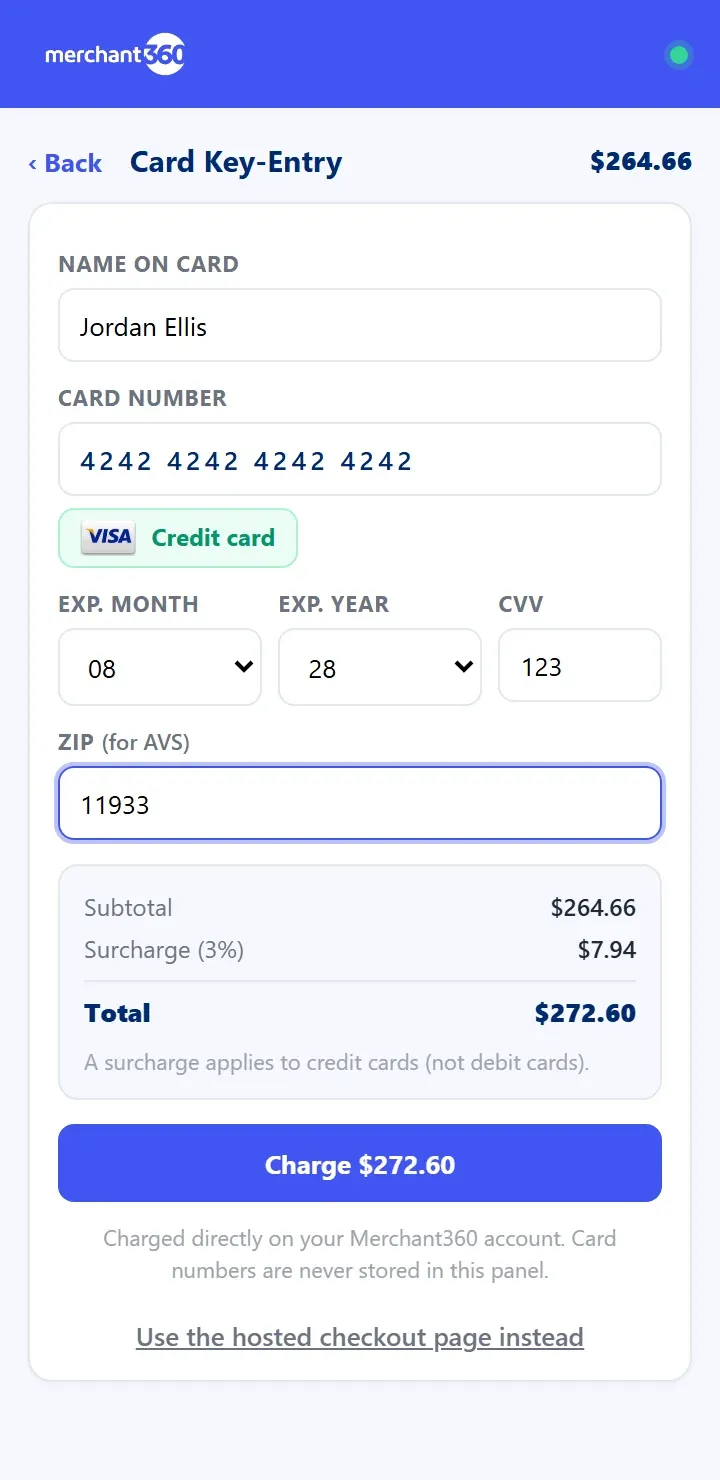
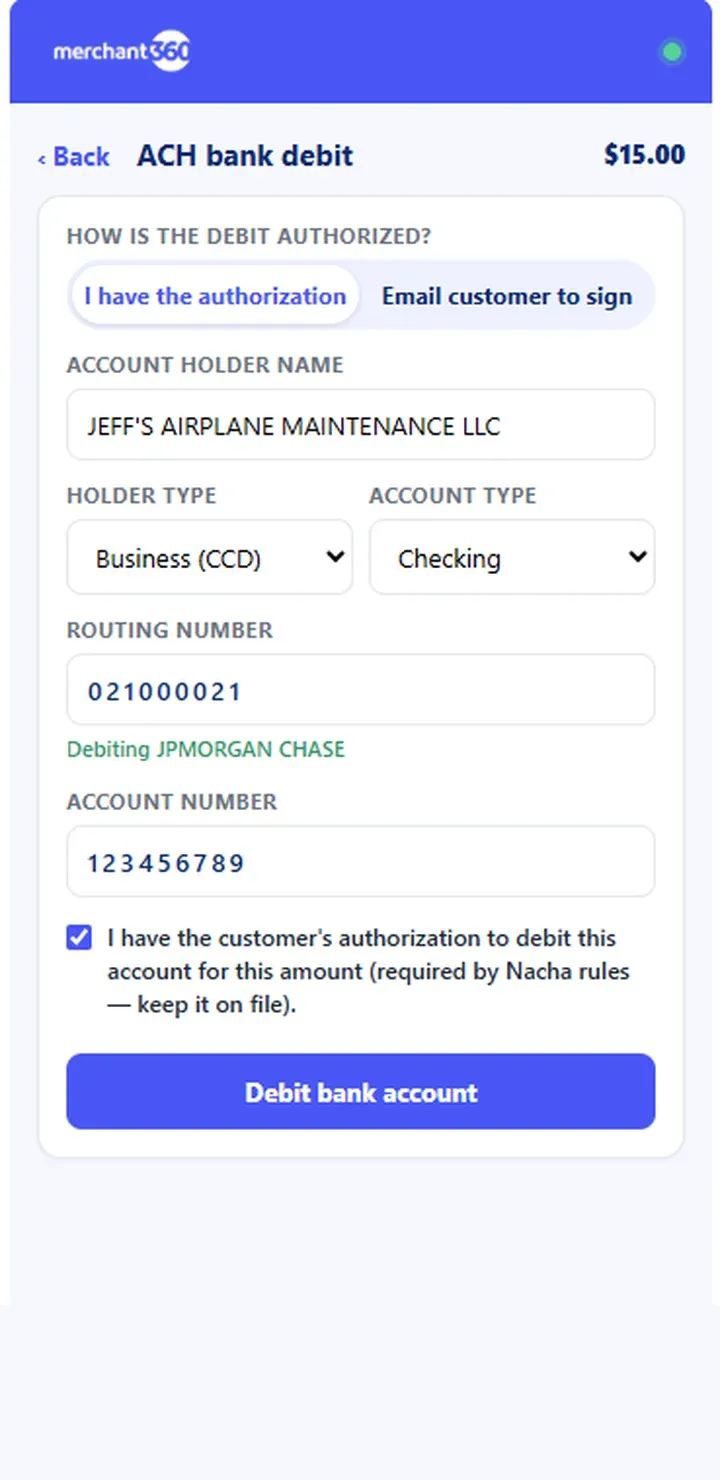
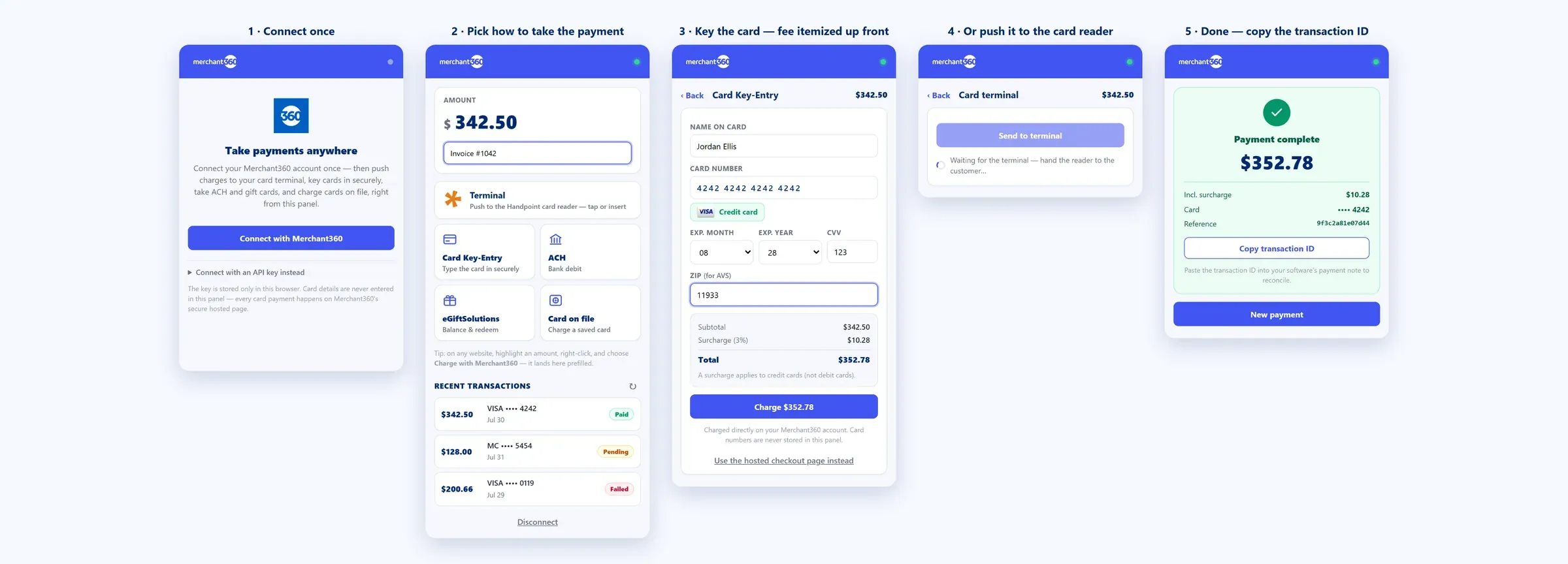
Key the card in the panel: the brand and credit or debit read appear as you type, and any surcharge is itemized before you charge. Or push it to your card terminal, debit a bank account by ACH, redeem a gift card, or charge a card on file.
Reconcile in one paste
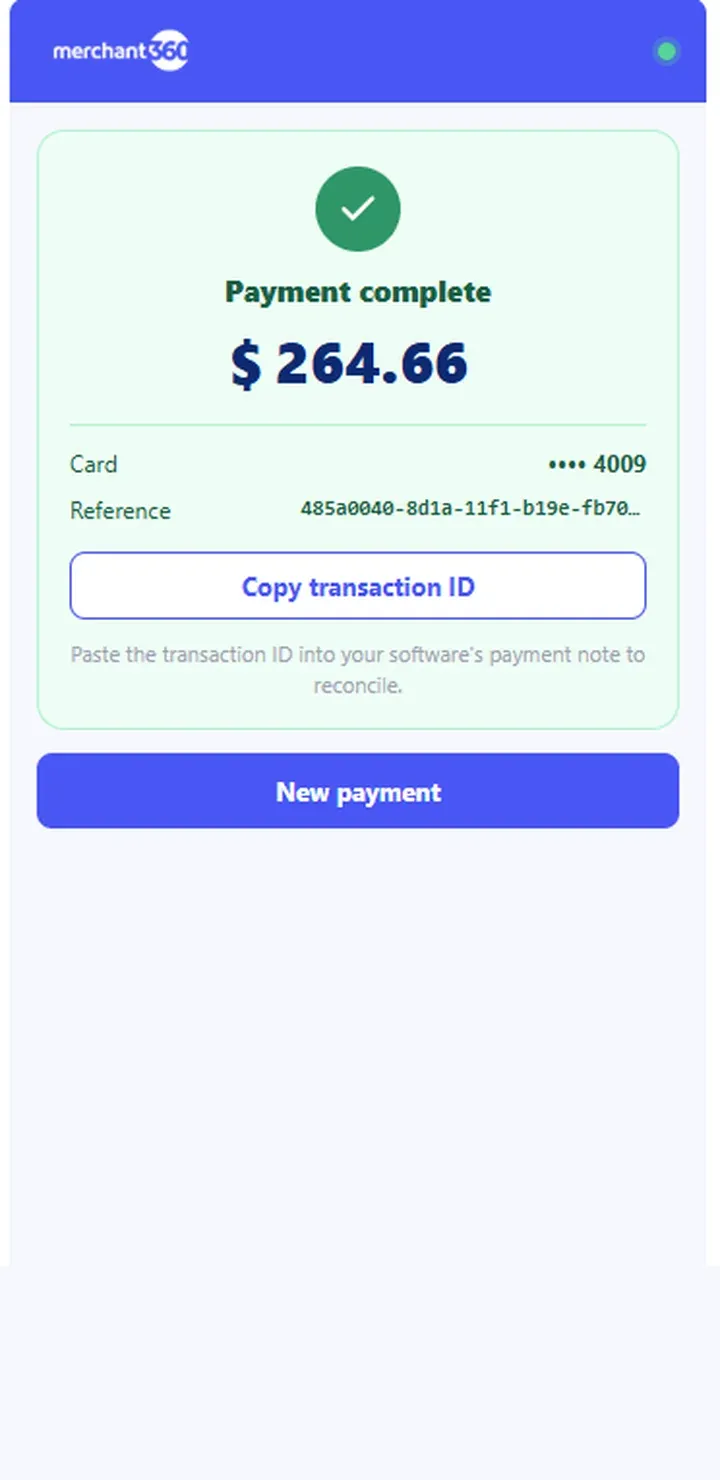
Copy the transaction ID into your software’s payment note. Recent charges list right in the panel: tap one for details, or void and refund without leaving it.
The actual panel
The whole flow, in five beats.
Connect once, pick how to take the payment, and reconcile with one copied ID. This is the real extension, beat by beat.
Every way to pay
The whole counter, in a side panel.
Works with
The software you already run.
Purpose-built detection where it matters, generic mode everywhere else. If it shows an amount in a browser, you can charge it.






























Don’t see your software? Generic mode works with virtually any web app, and purpose-built support is added based on merchant demand. Third-party product names and logos are trademarks of their respective owners, identify compatibility only, and imply no endorsement.
Getting started
Set up in three steps.
Add it to your browser
The extension is free for Chrome and Edge, with the Chrome Web Store listing on the way. Your Merchant360 dashboard walks you through the install in about a minute.
One click, no keys
Click Connect with Merchant360, sign in, and approve: the extension configures itself. Test mode lets you try the whole flow with no real charges.
Take a payment
Highlight an amount anywhere, right-click, and choose Charge with Merchant360. The side panel opens ready to go.
Put a payment terminal in every browser.
The extension rides on a Merchant360 merchant account: full processing, invoicing, and reporting from Electronic Payments, free with your account.